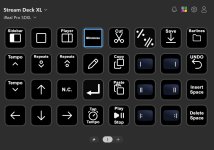
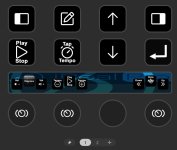
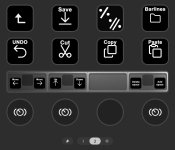
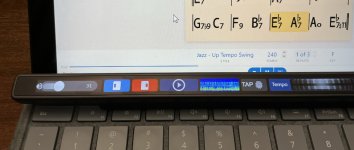
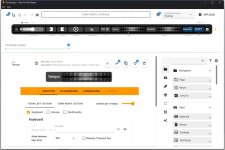
Windows key command list
Copy/paste into any .md editor/viewer.
For example for Windows Notepad
(Notepad Settings > Formatting ON to use Markdown)
v2026.5
|GENERAL||
|-|-|
|New song|Ctrl-N|
|Edit song|Ctrl-E|
|Duplicate song|Alt-D|
|Import|Ctrl-I|
|Print|Ctrl-P|
|Settings|Ctrl-Comma|
|Undo|Ctrl-Z|
|Redo|Ctrl-Y|
|Select All|Ctrl-A|
|View||
|-|-|
|Toggle Full screen|F11|
|Toggle Sidebar|Ctrl-` (backtick)|
|Player controls|Ctrl-Shift-P|
|Chord diagrams|Ctrl-Shift-C|
|Player||
|-|-|
|Play/Stop|Spacebar|
|Pause|Period|
|Tap tempo|Comma|
|Tempo +|=|
|Tempo -|-|
|Repeats +|]|
|Repeats -|\[|
|Style|Ctrl-Y|
|Transposition|Ctrl-T|
|Editor||
|-|-|
|Bar repeat|%|
|Double bar repeat|x|
|N.C.|n|
|Insert space|Ctrl-\||
|Delete space|Ctrl-Backspace|
|Cut|Ctrl-X|
|Copy|Ctrl-C|
|Paste|Ctrl-V|
|Save|Ctrl-S|
|Done|Ctrl-E|
|Barlines|||
|-|-|-|
||Left|Right|
|Single|Ctrl-B|Ctrl-Shift-B|
|Double|Ctrl-D|Ctrl-Shift-D|
|Repeat|Ctrl-R|Ctrl-Shift-R|
Copy/paste into any .md editor/viewer.
Admin Edit: Keyboard shortcuts (for all platforms)
For example for Windows Notepad
(Notepad Settings > Formatting ON to use Markdown)
- Copy all text as below
- Open Notepad
- File > New Markdown tab
- Paste
- View > Markdown > Formatted
v2026.5
|GENERAL||
|-|-|
|New song|Ctrl-N|
|Edit song|Ctrl-E|
|Duplicate song|Alt-D|
|Import|Ctrl-I|
|Print|Ctrl-P|
|Settings|Ctrl-Comma|
|Undo|Ctrl-Z|
|Redo|Ctrl-Y|
|Select All|Ctrl-A|
|View||
|-|-|
|Toggle Full screen|F11|
|Toggle Sidebar|Ctrl-` (backtick)|
|Player controls|Ctrl-Shift-P|
|Chord diagrams|Ctrl-Shift-C|
|Player||
|-|-|
|Play/Stop|Spacebar|
|Pause|Period|
|Tap tempo|Comma|
|Tempo +|=|
|Tempo -|-|
|Repeats +|]|
|Repeats -|\[|
|Style|Ctrl-Y|
|Transposition|Ctrl-T|
|Editor||
|-|-|
|Bar repeat|%|
|Double bar repeat|x|
|N.C.|n|
|Insert space|Ctrl-\||
|Delete space|Ctrl-Backspace|
|Cut|Ctrl-X|
|Copy|Ctrl-C|
|Paste|Ctrl-V|
|Save|Ctrl-S|
|Done|Ctrl-E|
|Barlines|||
|-|-|-|
||Left|Right|
|Single|Ctrl-B|Ctrl-Shift-B|
|Double|Ctrl-D|Ctrl-Shift-D|
|Repeat|Ctrl-R|Ctrl-Shift-R|
Last edited: